
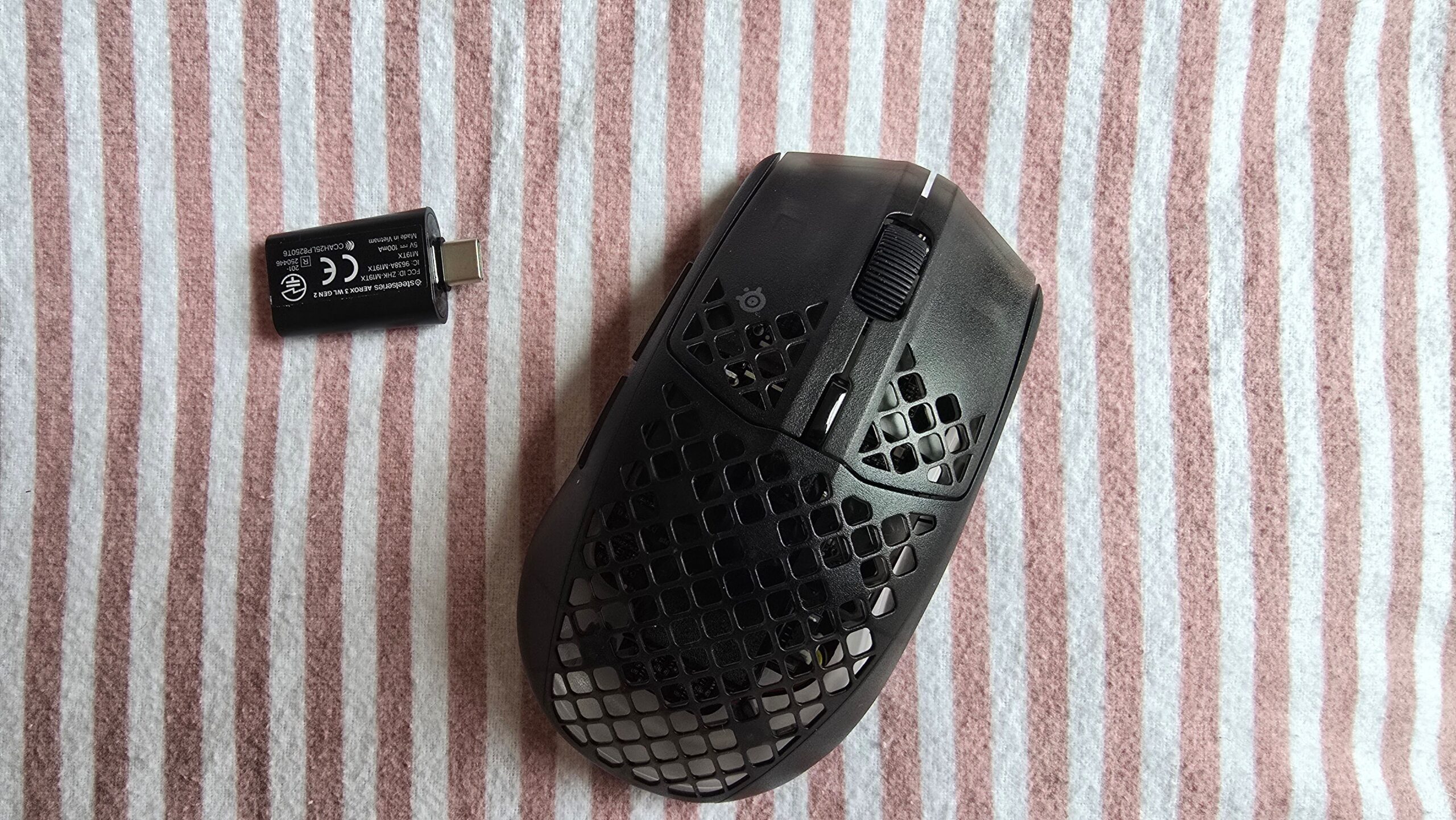
SteelSeries' honeycombed Aerox 3 was one of the best gaming mice of 2022 – so I was hoping for fireworks when I began testing the new $110 "Gen 2" refresh, which keeps the same design but with a better sensor, higher polling rate and longer battery life.
Those improvements add up to a solid mouse that's better than the original in every way. And yet I'm really struggling to get excited about it.
Let me explain why.
Distinctive Honeycomb Design Fails to Cut Any Weight
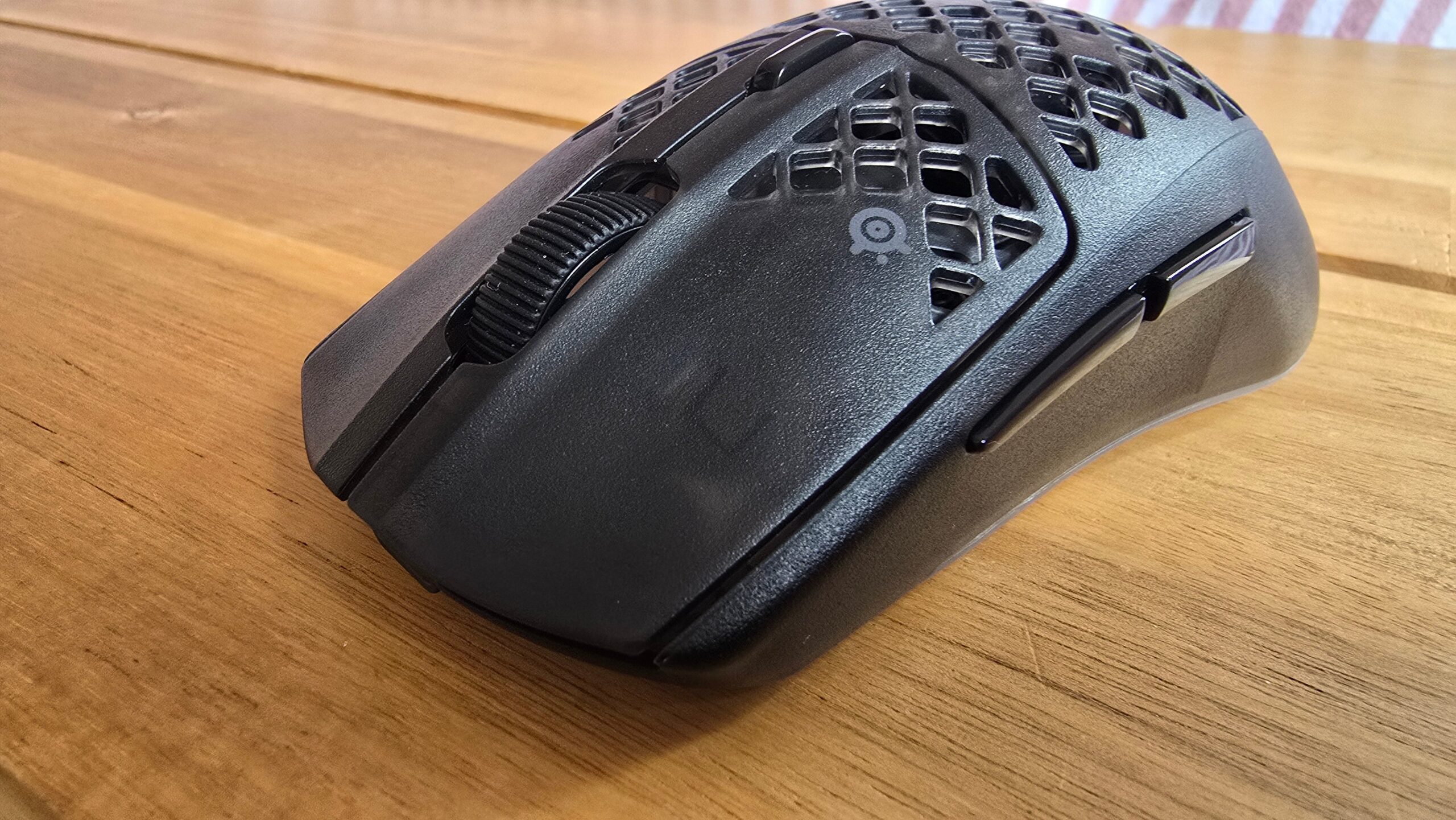
SteelSeries has made its honeycomb Aerox design even more see-through by replacing the top and side panels with semi-transparent plastic. The exposed innards have a toy-like charm and I'm glad Steelseries has leaned into the aesthetic rather than playing it safe. Better to be distinctive than dull: pairing the shell with a fully customizable three-zone RGB certainly makes the Aerox 3 Gen 2 stand out.
Its medium size will fit most hands and the pronounced curves towards its wide base create natural platforms for my thumb and pinky finger. All of the three most common mouse grips – fingertip, a full palm grip and a claw – felt comfortable to hold for hours at a time and the mouse coating was grippy without feeling sticky.
The left and right buttons are on the stiffer side but always registered my clicks – their high-pitched 'ping' sounds clean, and I could spam them rapidly when I needed to.
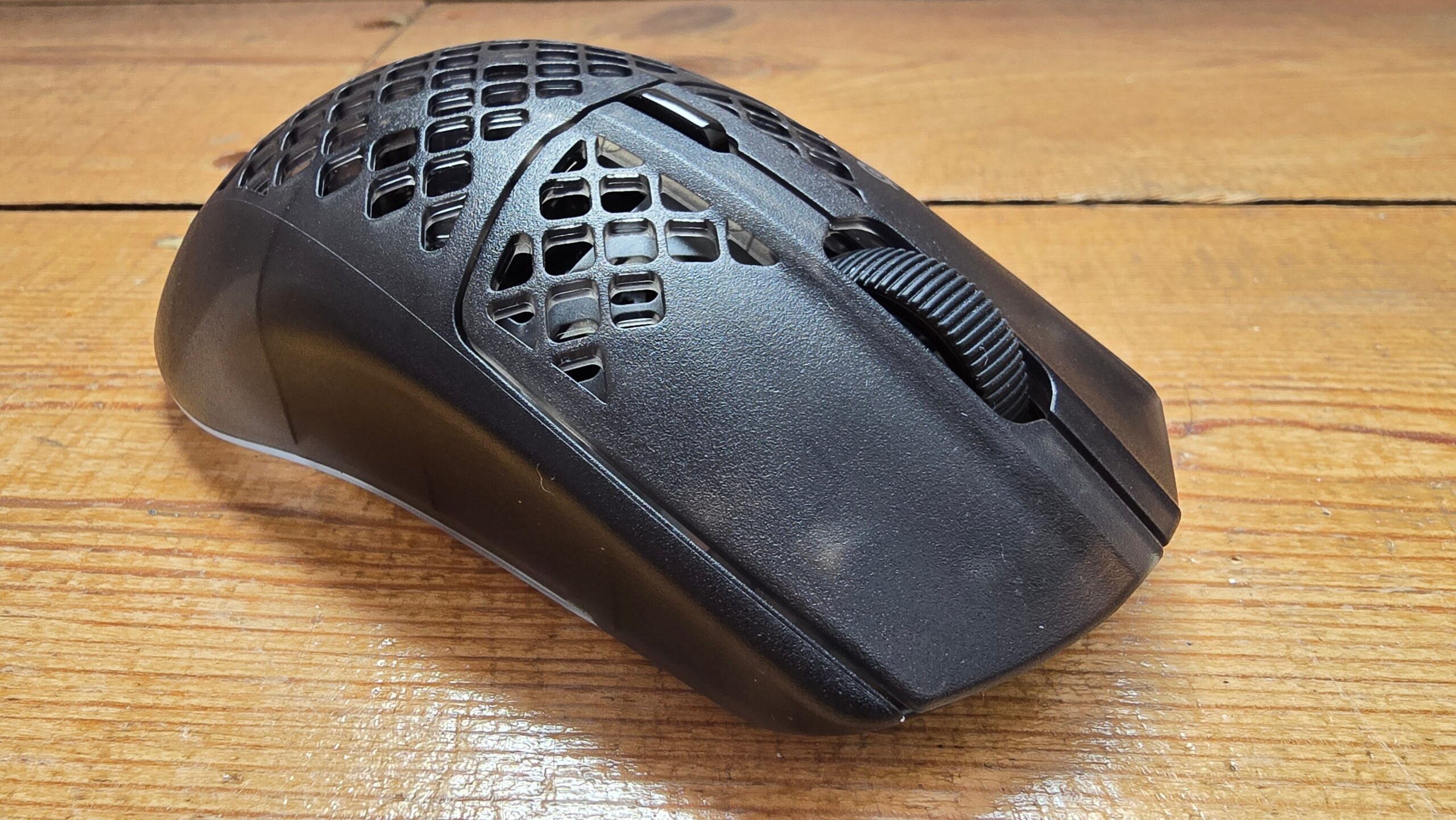
The shell occasionally creaks against the base of the mouse when I squeeze it really hard, but this was never never a problem during general use, and it feels solid and sturdy in the hand. I dropped it and knocked it around a bit with no ill effects, and its internals are protected by an IP54-rated coating that should keep it running after liquid spills.
But I have two main complaints.
The first, more minor, is not about the mouse itself but the 2.4Ghz wireless dongle that connects the Aerox 3 Gen 2 to your PC (you can also use it with Bluetooth). It wobbles in my USB-C port with the slightest nudge and sticks out further than most dongles, which are either smaller or sit flatter against your PC. It's a dangerous combo and means I'm always worrying about knocking it.
The second, potentially more major, is the weight. In 2022 the 68g Aerox 3 felt light – four years later the weight hasn't changed but all the competition has got slimmer. Nearly all new premium mice are below 60g and when I first started testing the Gen 2 version it felt heavy on my pad.
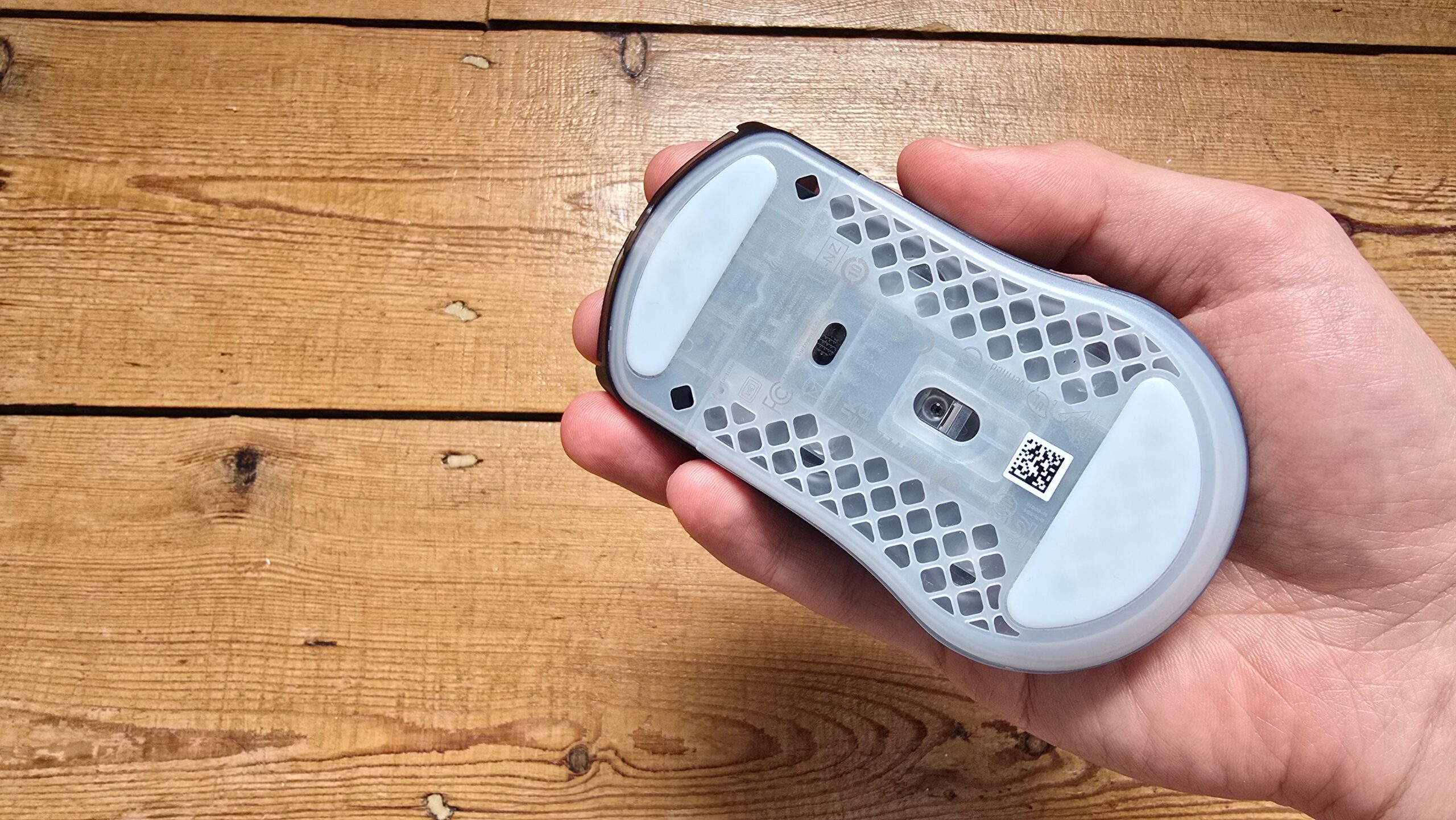
The sensor placement below the mid-line of the mouse doesn't help. The lower a sensor, the less it moves when you make small adjustments with your fingerprints at the top of the mouse. It made the Aerox 3 Gen 2 feel even more sluggish.
Lighter doesn't mean better, of course. Some people prefer a slightly heavier feel in the hand, and to be fair it only took me half an hour to stop noticing it. When that happened, it felt like it took zero effort to sweep it across my mouse pad on its slick PTFE feet, or to make small, quick adjustments.
But it's a long way from the "ultra-lightweight" feel that SteelSeries promises, and it's also at odds with its weight-cutting honeycomb design. I remain part of the masses who find 50-60g to be a sweet spot for comfort, speed, precision and control.
Sensor Improvements Boost Its Gaming Chops
The upgrades to the Aerox 3 Gen 2's specs bring its performance in line with modern mid-to-high-range gaming mice.
I mainly used it in the first person shooter Marathon and the citybuilder Whiskerwood, a duo that combines quick movements with more relaxed clicking and dragging, but I also tested it in Fortnite, Kingdom Come: Deliverance 2 and Slay the Spire 2. It felt accurate, reliable, consistent, and it captured my movements without stutters or errors. None of the upgraded sensor, the click switches, or the wireless connection limited how I played.
Perhaps the biggest change from the original Aerox 3 is in its maximum polling rate – the times per second the mouse reports its position to your PC. That jumps from 1,000Hz to 4,000Hz, with a 2,000Hz option in the middle. Theoretically higher polling rates should make your mouse feel smoother and snappier, especially when you're moving it rapidly, and to me, the difference above 1000Hz is slight but real. This is a genuine upgrade for anyone looking to squeeze every drop of juice out of their mouse. It's lower than the 8K gold-standard, but that's absolutely fine with me: 8K is overkill and never worth the extra battery drain.
Keep in mind you'll also need a high-end system to take advantage, including a beefy CPU-GPU combo and a high refresh rate monitor. Otherwise your machine, not your mouse, becomes the limiting factor. Also remember that higher polling significantly cuts battery life. At 1,000Hz without RGB lighting, SteelSeries reckons you can reach 120 hours, better than the original and roughly in line with the drain when I tested it. But at 4K polling that drops to around 35 hours. For that reason, I usually play at 1K for casual games or 2K in online multiplayer.
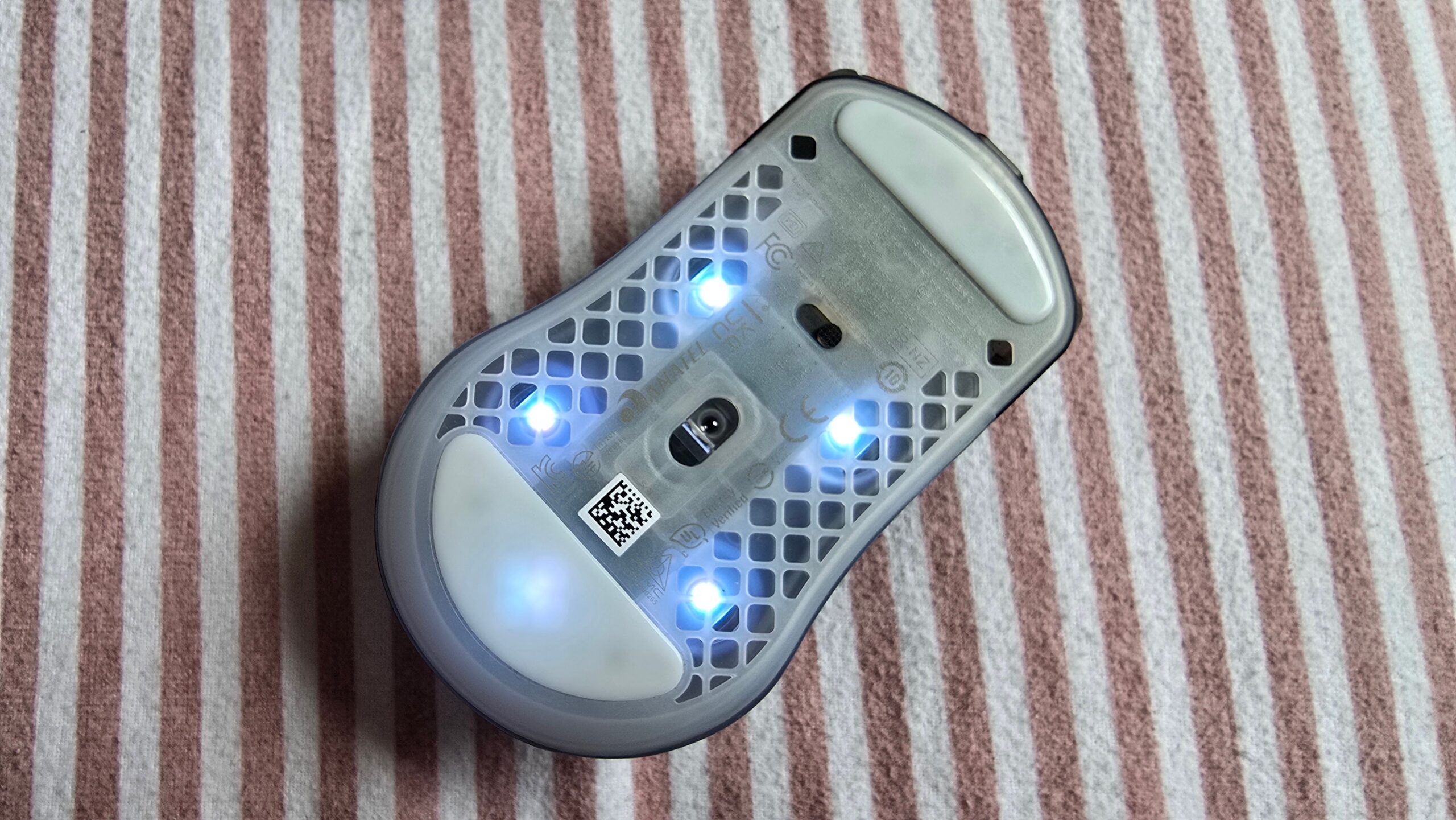
The sensor has been improved, but only incrementally. The maximum inches per second (IPS) of tracking and the max acceleration remain the same, at 400 IPS and 40 G, but the maximum dots per inches (DPI), a measure of sensitivity, jumps from 18,000 to 26,000.
Those numbers are mostly meaningless, however, because you won't be moving the mouse that quickly, nor should anyone use a DPI that high (even pro players stick below 1,600). The key thing is that it feels responsive and reliable, and is more than good enough for anyone short of a pro FPS player
I say mostly meaningless, because if you care about having the highest possible ceiling on your mouse then you will find better sensors in the same price range. To take two examples I reviewed recently: the Rawm Leviathan v4 and the Keychron M3 Mini both have sensors with better on-paper specs, and are both cheaper than the Aerox 3 Gen 2.
Useful Extra Settings Squeezed Into Bloated Software
The updated Aerox 3 adds plenty of new genuinely useful settings through the Steelseries GG software.
You can now, for example, change the distance that the sensor will stop tracking your mouse movements when you lift it off the pad, called lift-off distance (LOD). You can tweak the angle of the sensor to account for any natural tilts in your grip (although there's no built-in tool to test whether you hold your mouse straight). A low power mode reduces battery drain as you approach empty, a sensitivity matcher imports your settings from other SteelSeries mice, and you can adjust the X and Y axis DPI independently, if that's your thing.
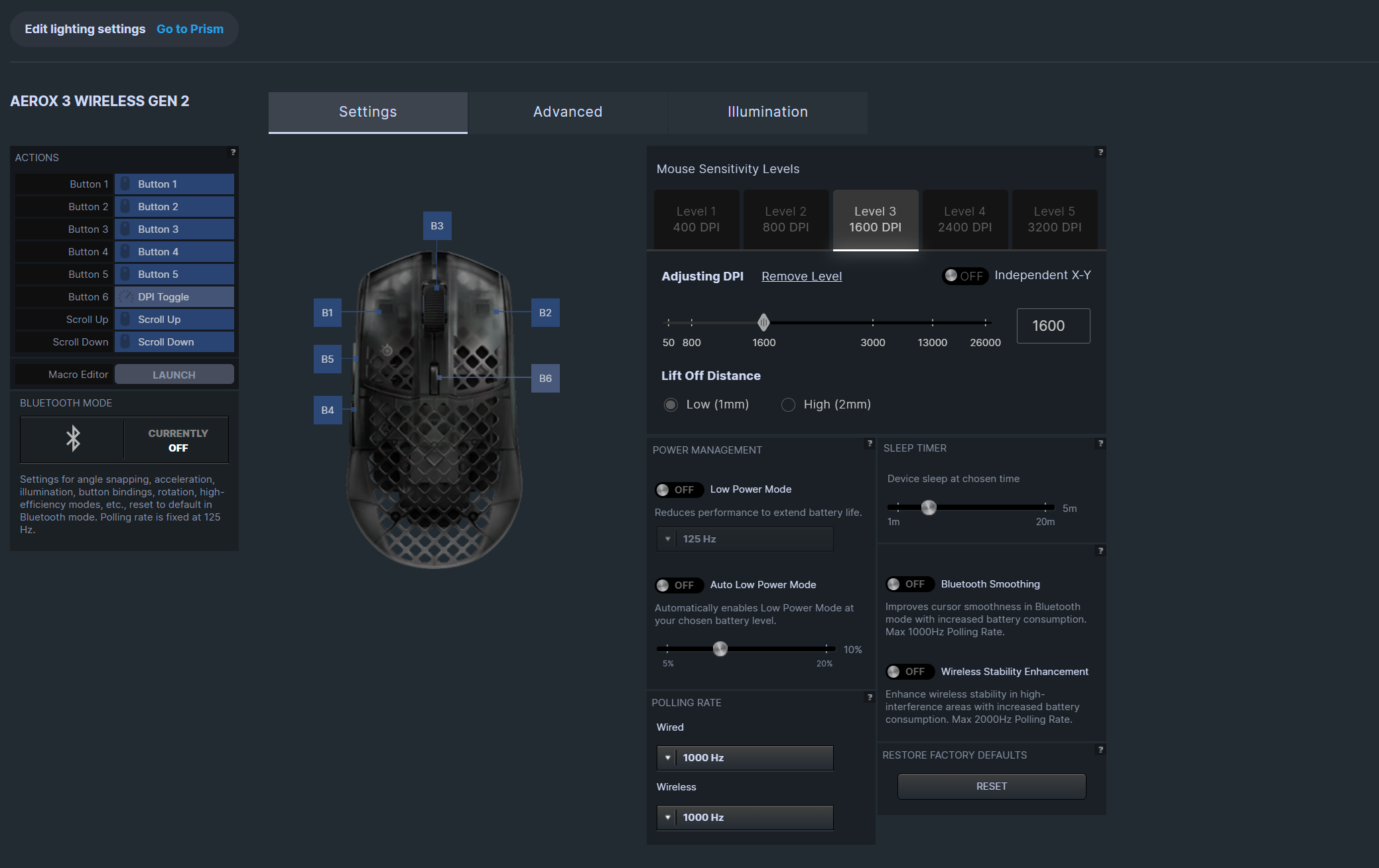
These are all good options. But they're all housed in a bad system.
I find SteelSeries GG to be one of the more unpleasant mouse softwares to use, bloated with unnecessary tabs and confusing headings. Next to your "Gear" tab is one for audio customization (even if you don't have a headset), a "moments" tab to record gameplay, an aim trainer, one for "giveaways", and a "news" tab for SteelSeries announcements. A wannabe everything app.
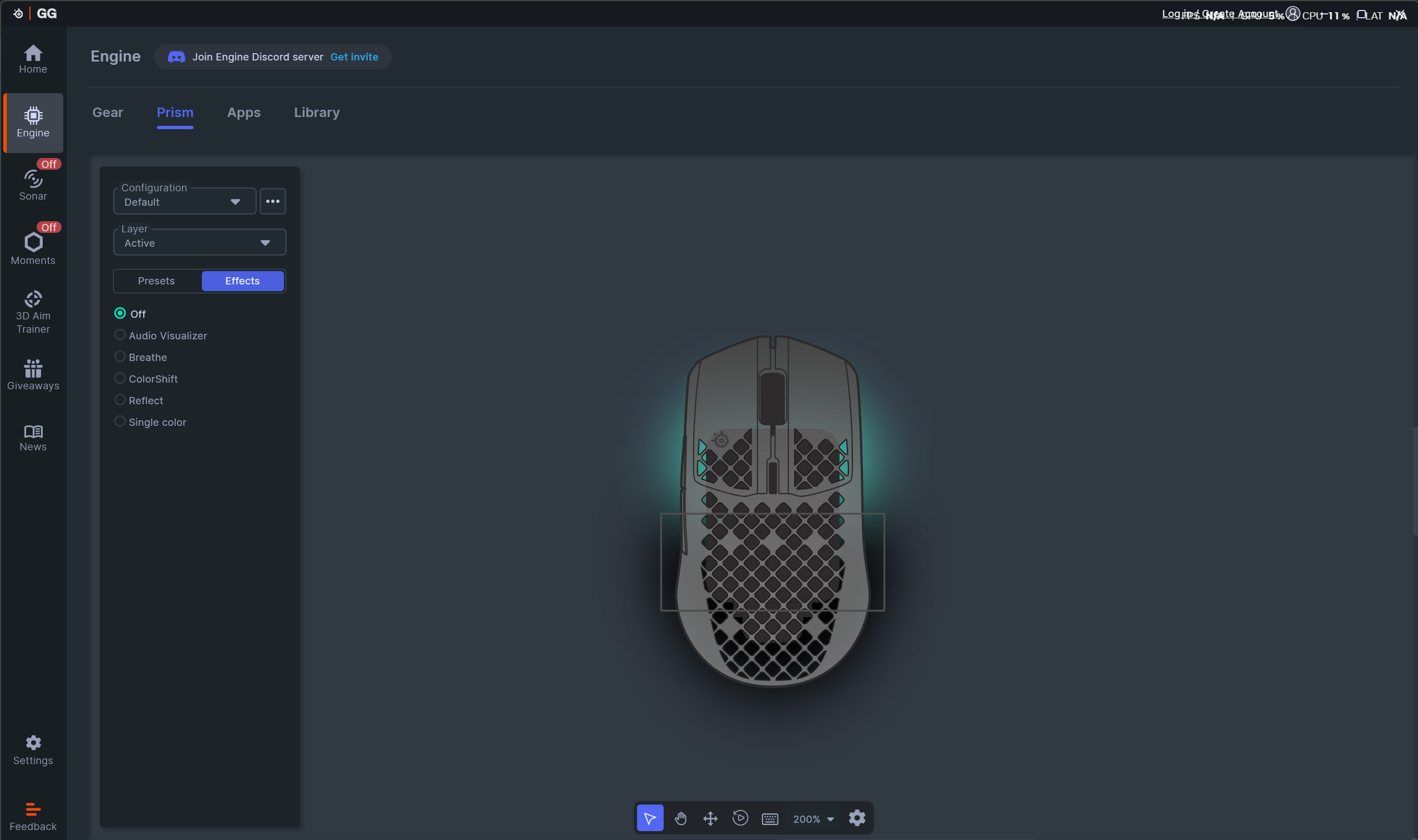
I also find the layout of the mouse settings confusing and badly presented, with everything housed in boxes of different shapes and styles.
The RGB options are in-depth and easy to use, at least – but don't try searching for them in the "illumination" tab. Instead you have to click on "Prism", which launches an entirely new window on your computer. What a mess.