
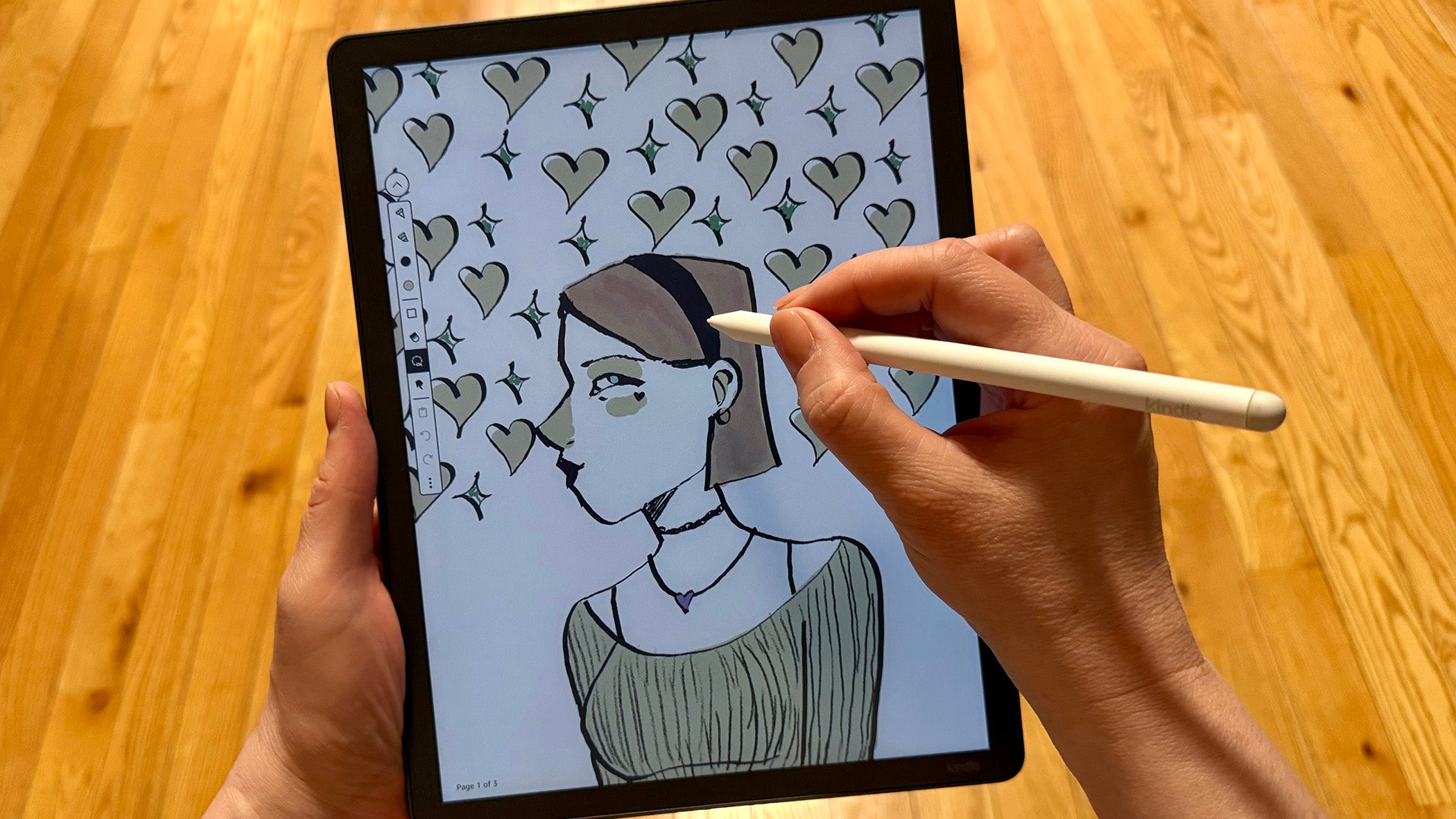
Amazon’s Kindle Scribe Colorsoft represents the tech giant's most ambitious, and expensive, E Ink device to date. It marries the large-format digital notebook concept of the original Scribe with the color technology recently introduced to the smaller Kindle lineup. Priced at a premium that puts it in direct competition with Apple's iPad Air and the ReMarkable Paper Pro, this device is purpose-built for users who want a distraction-free reading and note-taking experience, but are unwilling to compromise on color. It’s the ultimate luxury Kindle, offering meaningful hardware upgrades over its predecessor, though its steep price tag and Amazon-centric ecosystem limitations might make it a tough sell for the casual reader.
Kindle Scribe Colorsoft – Setup and Display
Right out of the box, the Colorsoft impresses with its razor-thin 5.4mm profile and a lightweight 400g chassis. Amazon has opted for a symmetrical design this generation, utilizing uniform half-inch bezels around the entire screen instead of the asymmetrical side grip found on previous iterations. While this gives the tablet a sleek, modern, iPad-like aesthetic, it does mean you have to be a bit more careful with thumb placement to avoid accidental screen taps while reading.
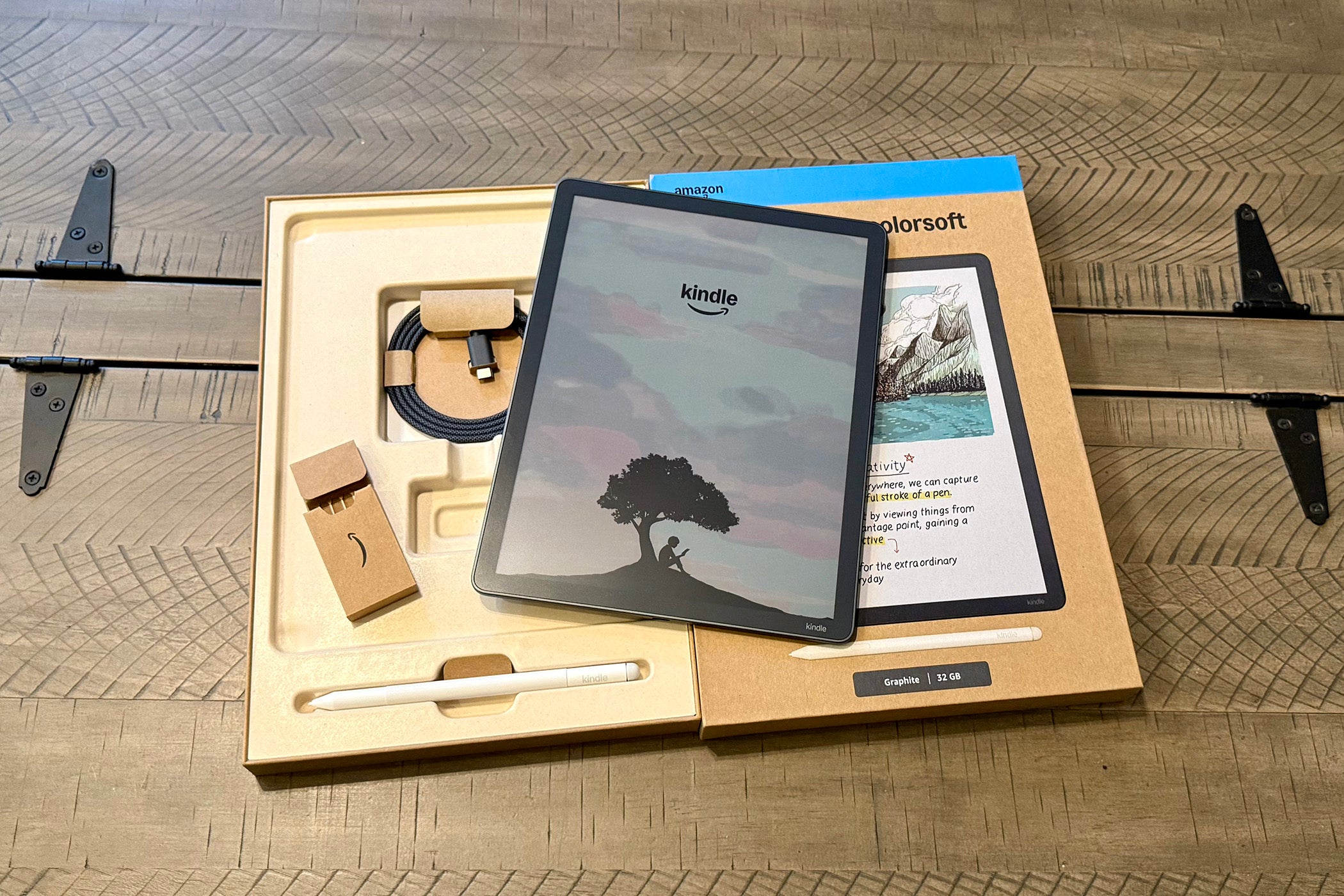
The Scribe Colorsoft comes bundled with a Premium Pen, replacement tips, and a USB-C charging cable. As usual, you'll need to provide your own charger. Setup is a breeze, easily importing any previous Scribe notebooks you've saved to the cloud once connected to Wi-Fi.
There's a power button on the upper right side and a USB-C charging port at the bottom. The pen attaches magnetically to the right side of the unit, just below the power button. Next to the USB-C port is a microphone, which is not yet enabled. Amazon promises AI query tools and other features that will take advantage of the microphone via a software update later in 2026.
There's no built-in speaker, so you must use Bluetooth audio output. Whispersync for Voice is supported if you connect to a Bluetooth speaker or headphones, but Immersion Reading, which plays an audiobook and automatically highlights the text on the screen simultaneously, is not.
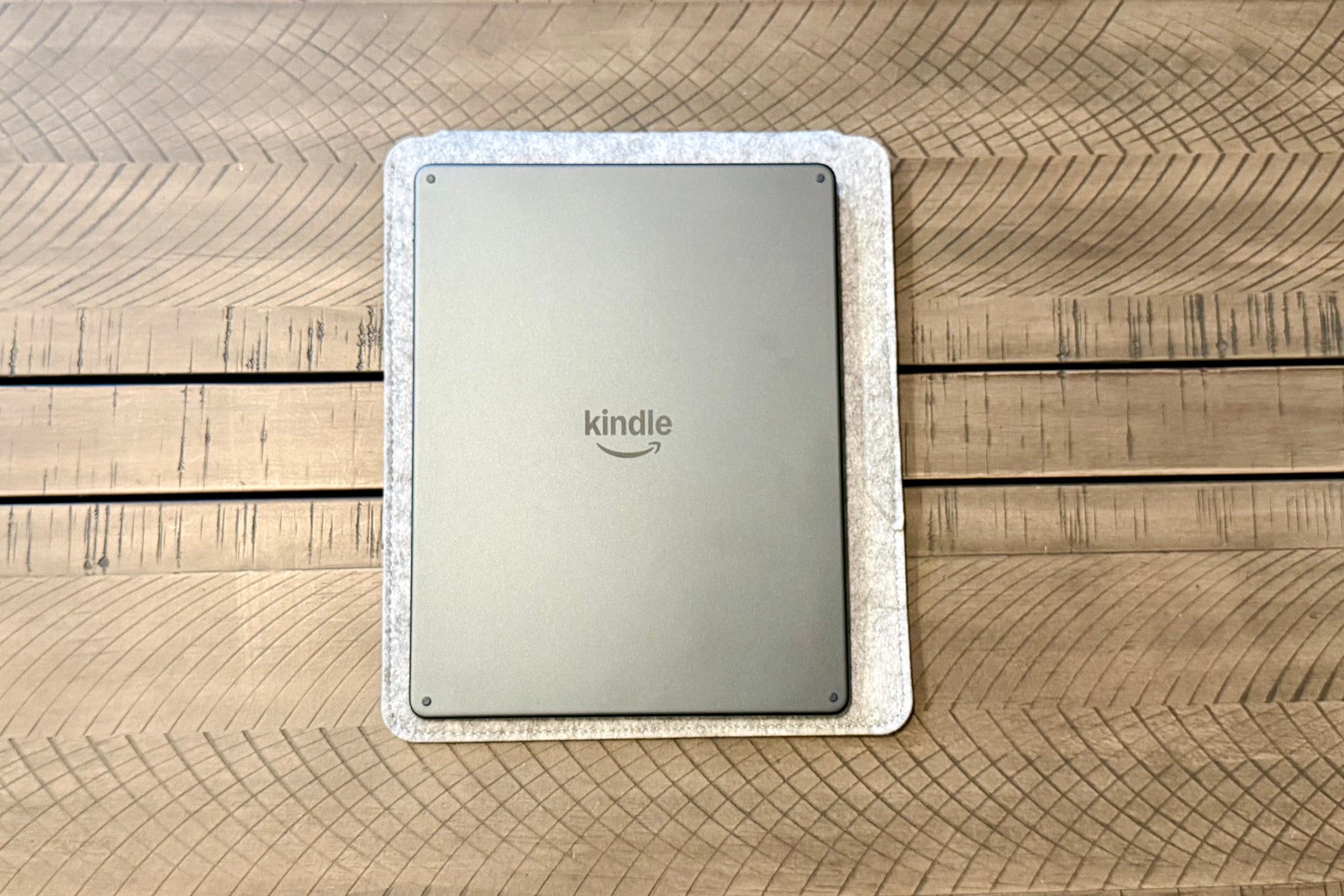
Finally, there are four small rubber feet on the backside of the tablet so it stays put on a surface. Optional cases accommodate these feet.
The real star of the show is the new 11-inch Colorsoft display. By utilizing a custom-built oxide-based panel and tightly fitting miniaturized LEDs, Amazon has largely mitigated the dark, shimmering grain that typically plagues Kaleido 3 color screens. Like all color E Ink devices, the screen utilizes a color filter that drops the resolution from a crisp 300 ppi for black-and-white text down to a softer 150 ppi for color imagery. Because this filter naturally darkens the unlit screen, making it look a bit muddy, you'll need to lean heavily on the built-in front light to get any real vibrancy. Once illuminated, however, the screen offers excellent contrast and pleasingly-rendered colors that you can toggle between Standard and Vivid modes. While you might notice a slight drop shadow near the bezel due to the gap between the glass and the display panel, and the matte back is a bit of a fingerprint magnet, the hardware is undeniably premium.
Battery life predictably takes a hit compared to standard black-and-white Kindles, but it still offers up to eight weeks of reading or two weeks of writing on a single charge. That feature alone is a massive advantage over a traditional tablet.
Kindle Scribe Colorsoft – Reading
For manga and comic book fans, the 11-inch canvas is an absolute revelation, provided you mostly buy your content directly from Amazon. Colors are pleasantly muted, closely resembling the look of classic newsprint or non-glossy comic book stock, which is delightfully easy on the eyes during long reading sessions. The reading experience feels significantly snappier thanks to a new 2.0GHz quad-core processor that makes page turns roughly 40% faster than previous models. This larger, color-capable canvas makes reading graphic novels, magazines, and textbook PDFs with a lot of detail a genuine joy.
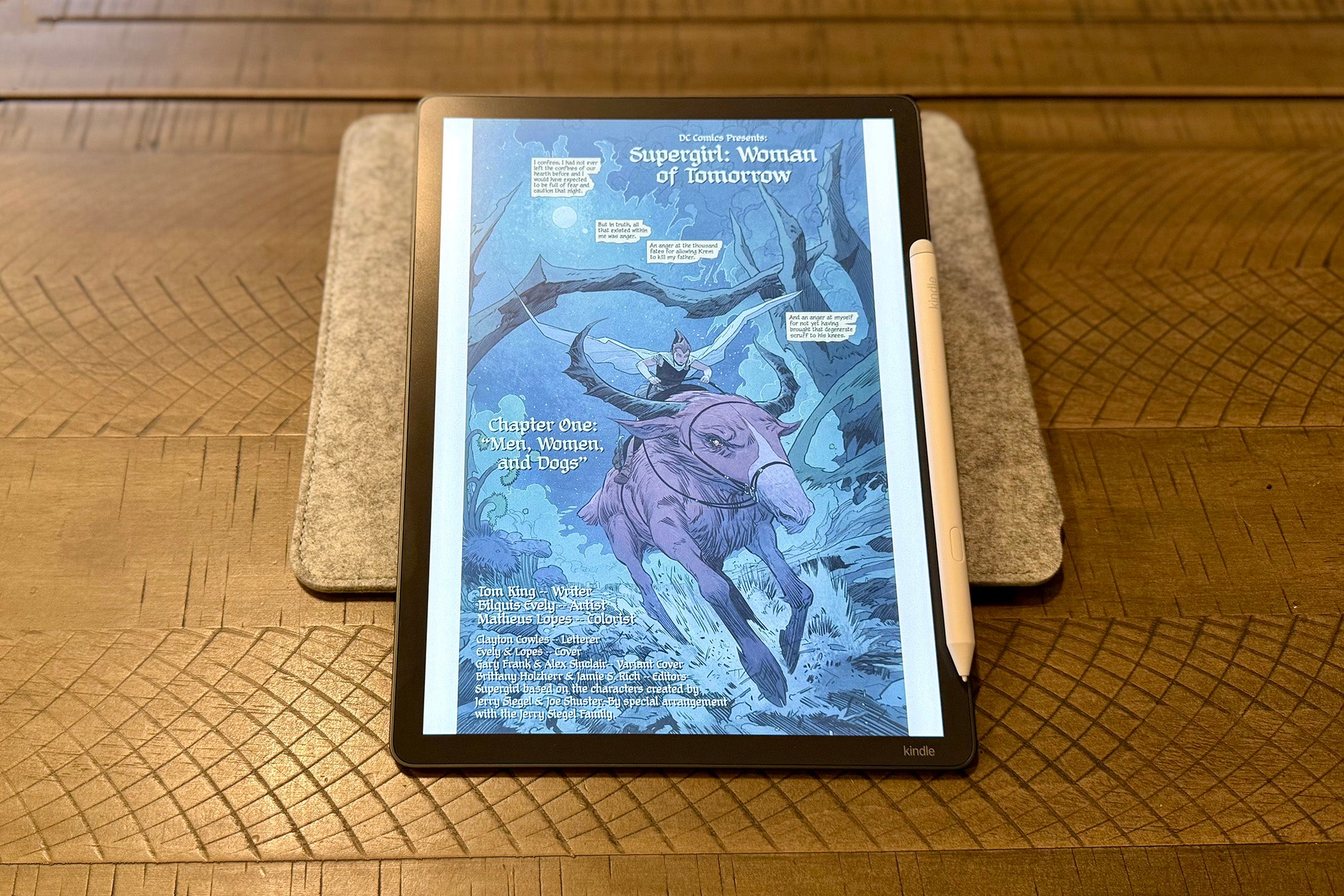
Purists, however, should be aware of the inherent compromise, that, without the front light turned up, the screen contrast isn't quite as perfectly stark as a dedicated black-and-white e-reader. The magic also fades a bit if you prefer to source your reading material outside of Amazon's own Kindle Store or Comixology. Getting third-party color comics onto the device requires jumping through frustrating hoops, such as using conversion software to chop DRM-free CBZ or EPUB files into 100MB chunks just to bypass Amazon's strict Send to Kindle limits.
When reading standard text, the experience remains top-tier, elevated by features like the new Active Canvas. This lets you write directly onto the page, but because the text dynamically reflows around your notes, it shifts the pagination and can break your reading flow. It's a jarring experience compared to Kobo's superior approach, which treats the page as a static canvas and lets you simply scribble in the margins like a real book.
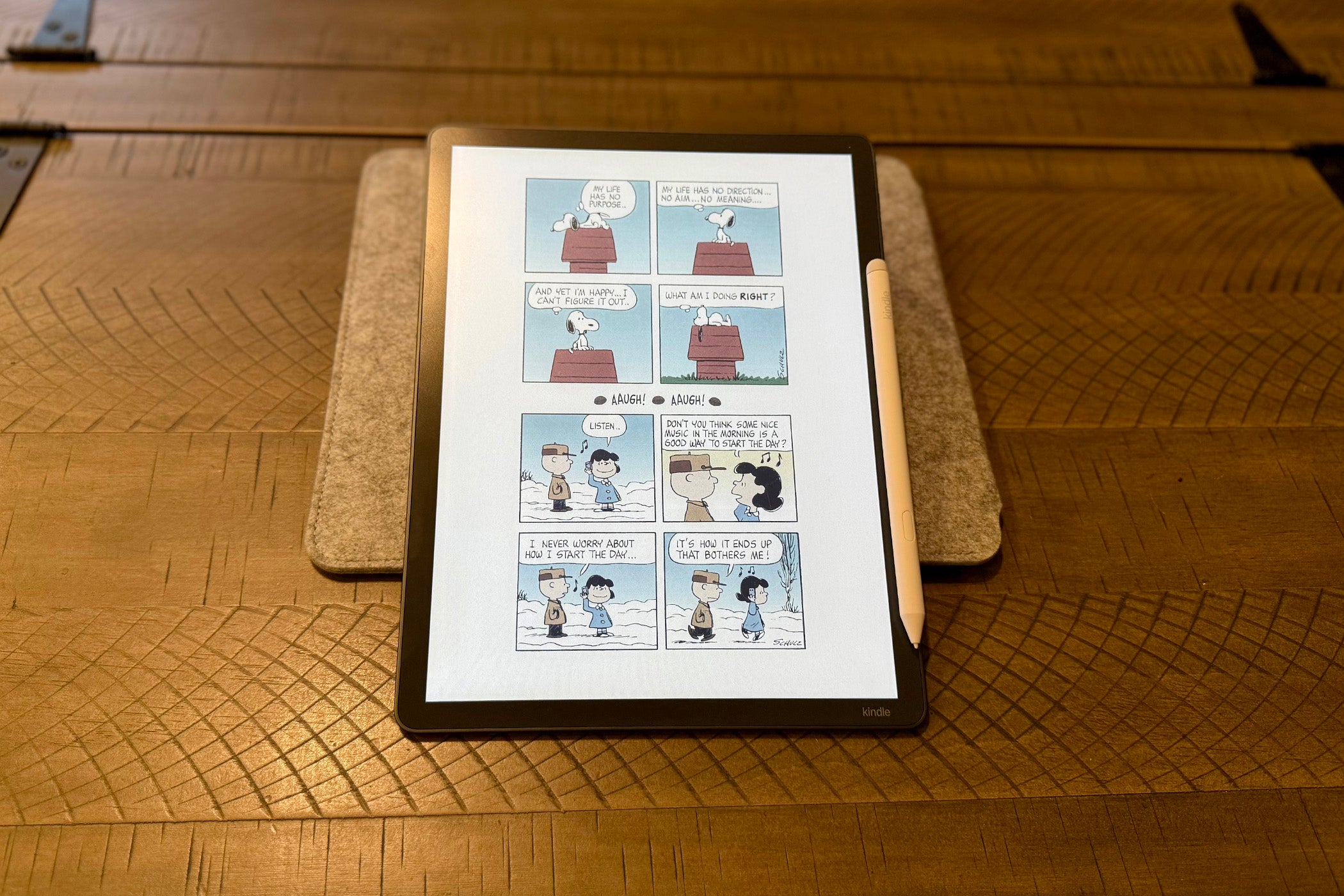
A recent software update finally enabled a system-wide Dark Mode. It lets users change surfaces like Home, Library, and Settings, as well as customize where and when you’re using Dark Mode, such as keeping notebooks in Light Mode.
Finally, despite the performance improvements and color, the built-in web browser is still best saved for only occasional use. It remains just sluggish enough to be annoying, particularly on more complex websites.
Kindle Scribe Colorsoft – Pen and Note Taking
The note-taking workflow is where the device's color capabilities truly shine. The included Premium Pen has been redesigned into a sleek, fully-cylindrical shape that magnetically snaps to the side of the tablet with satisfying force. Utilizing Wacom EMR technology, the stylus requires no charging and feels phenomenal to use. Amazon boasts a blistering 12ms of latency, and in practice, digital ink flows almost instantaneously. Writing on the new texture-molded glass feels incredibly natural, emitting a quieter, less scratchy sound than previous models while still offering a satisfying, near paper-like friction.
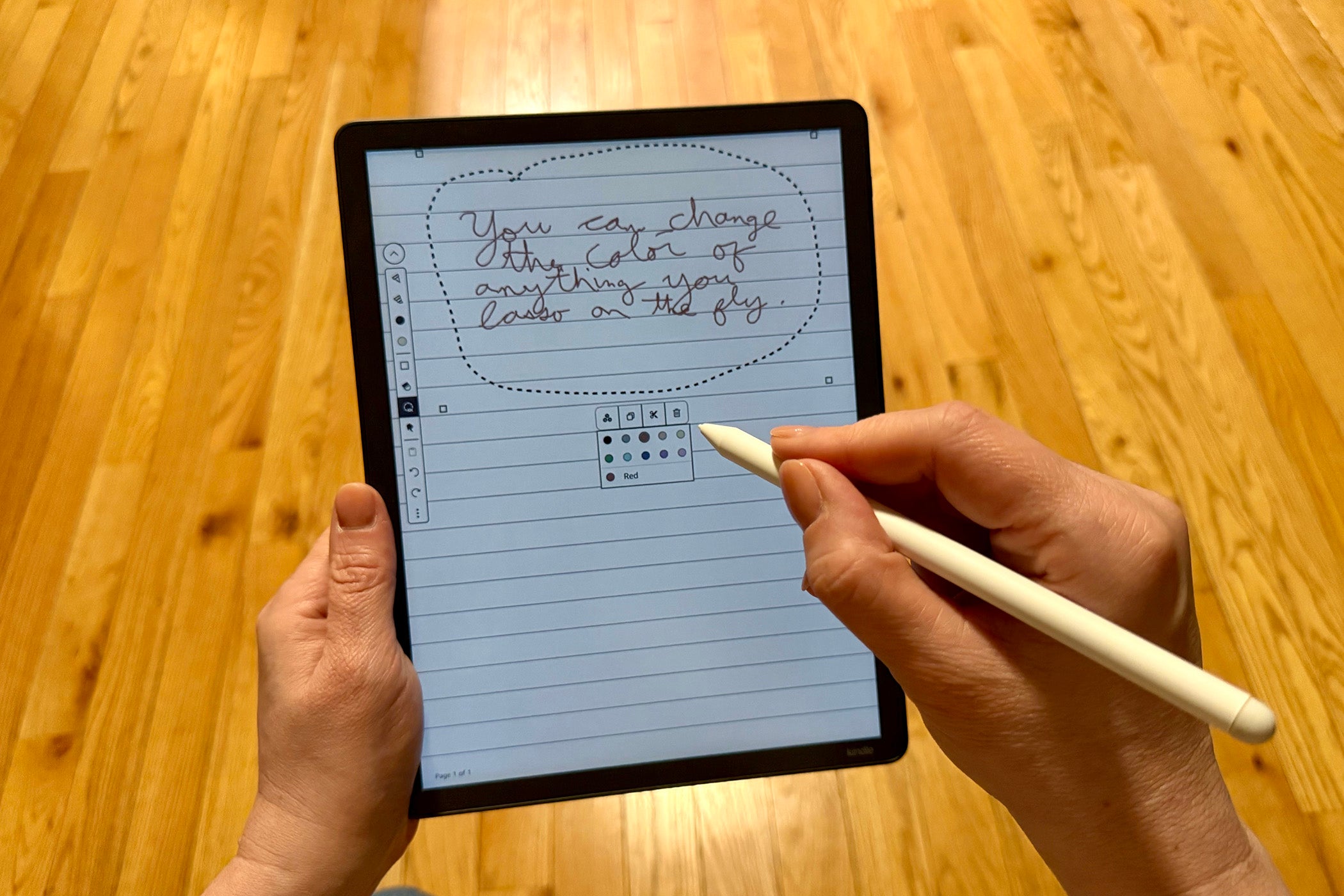
You're given 10 distinct pen colors and five highlighter shades to play with, alongside a new shader tool for creating watercolor-like gradients. Amazon has also introduced a brilliant upgrade to the Lasso tool that allows you to select previously drawn strokes and retroactively change their color, which is a feature entirely absent on most competing color E Ink tablets. Another major software addition is the AI-powered handwriting search, which impressively indexes your non-converted handwritten notes so you can search for specific terms globally across all your notebooks.
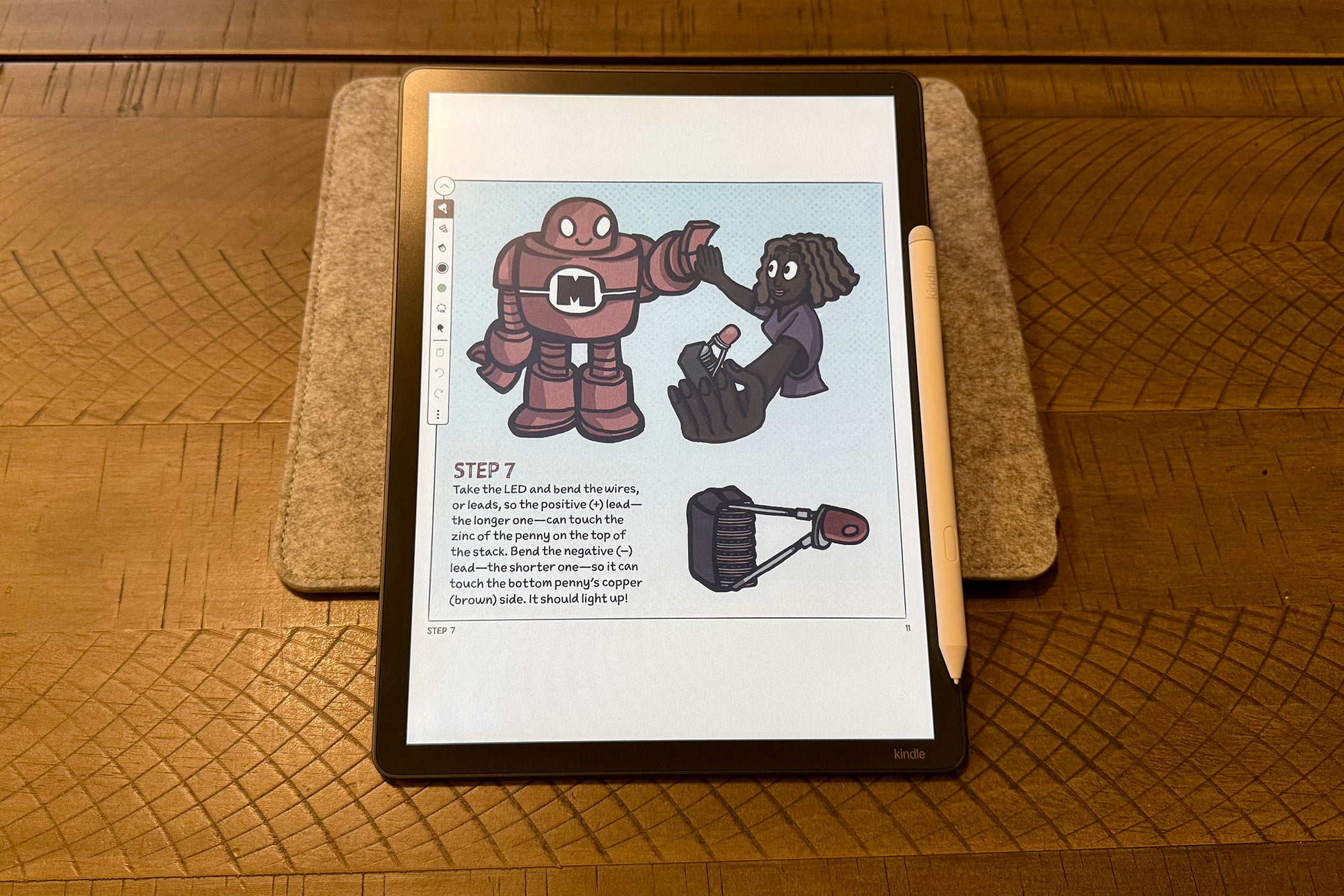
Thanks to a recent update, Smart Shapes in Notebooks allows you to add structured lines, arrows, circles, triangles, and rectangles directly from the toolbar. Hold-to-snap allows for freehand drawing that automatically converts strokes into precise lines, circles, triangles, or rectangles. However, even with the update, the software still holds the hardware back from its full potential.
Unlike the ReMarkable Paper Pro or Onyx Boox tablets, the Scribe Colorsoft lacks layers, limiting its usefulness as a dedicated drawing tablet. And while Amazon has finally added robust cloud integrations for importing and exporting via Google Drive and Microsoft OneDrive, file management remains rigid and clunky compared to Android-based competitors. It's also a shame there's no keyboard support, as this expansive and relatively speedy display would make a fantastic distraction-free writing device.
